Sendhour is our product, and it schedules posts for many accounts, so keep that in mind. Most of this guide is about how to set the accounts up, and it works with any tool or none. I say where Sendhour helps in one section near the end.
Some context. I run about 15 TikTok accounts for my own apps, mostly photo slideshows plus some videos. My best posts have reached around 50,000 views.
What TikTok's rules say
TikTok's Community Guidelines (Integrity and Authenticity, read November 24, 2026) say "You can have multiple accounts" and give fan content and creative expression as examples, "but not to deceive others or break the rules."
The same page says what crosses the line. Its list of spam includes "Using automation to run many accounts or send repetitive content" and "Posting a large amount of irrelevant material". Under circumvention it lists "Spreading violative content across multiple accounts". It says "If your account is restricted or banned, you may not create or use another account to get around it", and if TikTok finds deceptive account behavior it may "Ban additional or new accounts you create". On the For You feed, it marks as ineligible "Reused or unoriginal content posted without creative edits".
So the safe version is plain. Several accounts with their own audiences and their own posts are fine. The same post pushed out on many accounts by a script is spam. And a new account to dodge a ban puts your other accounts at risk too.
What about schedulers? TikTok's rules don't mention them. Separately from the spam list, they ban "automation tools, scripts, or other tricks designed to bypass our systems". My reading is that the Content Posting API is the route TikTok built for apps to post for a user who has authorized them, and TikTok audits those apps before their posts can be public, so scheduling your own separate posts through it isn't getting around anything. Each post still has to be your own content, made for that account.
When one account is enough, and when to split
Unless your app clearly serves two audiences, wait until you've posted 20 or 30 times on one account; before that, a second one mostly doubles the work. Split when one of these is true:
- Your app serves different people. A budgeting app for students and for young parents has two audiences who want different hooks.
- Your app solves several problems. One account per problem is easier to follow than one account that jumps between them.
- You're testing formats. An account for photo slideshows and another for screen demos tells you which format your niche watches, without mixing the numbers.
- You run several apps or clients. Each app gets its own accounts. Never mix two apps on one account.
A developer on r/growmybusiness asked on November 17, 2026 how to market a productivity app that tracks everything without "repeating the words 'all in one'". That is a good sign it's time to split. Each account takes one thing the app does and talks only about that, so no account has to say "all in one" again.
Why the same post on every account backfires
Posting one video on all five accounts saves time, and it's the one thing I'd avoid. TikTok's spam list includes "Using automation to run many accounts or send repetitive content", and reused material without anything new can't get into the For You feed. Five accounts posting the same video also teach you nothing new. You get one test, five times.
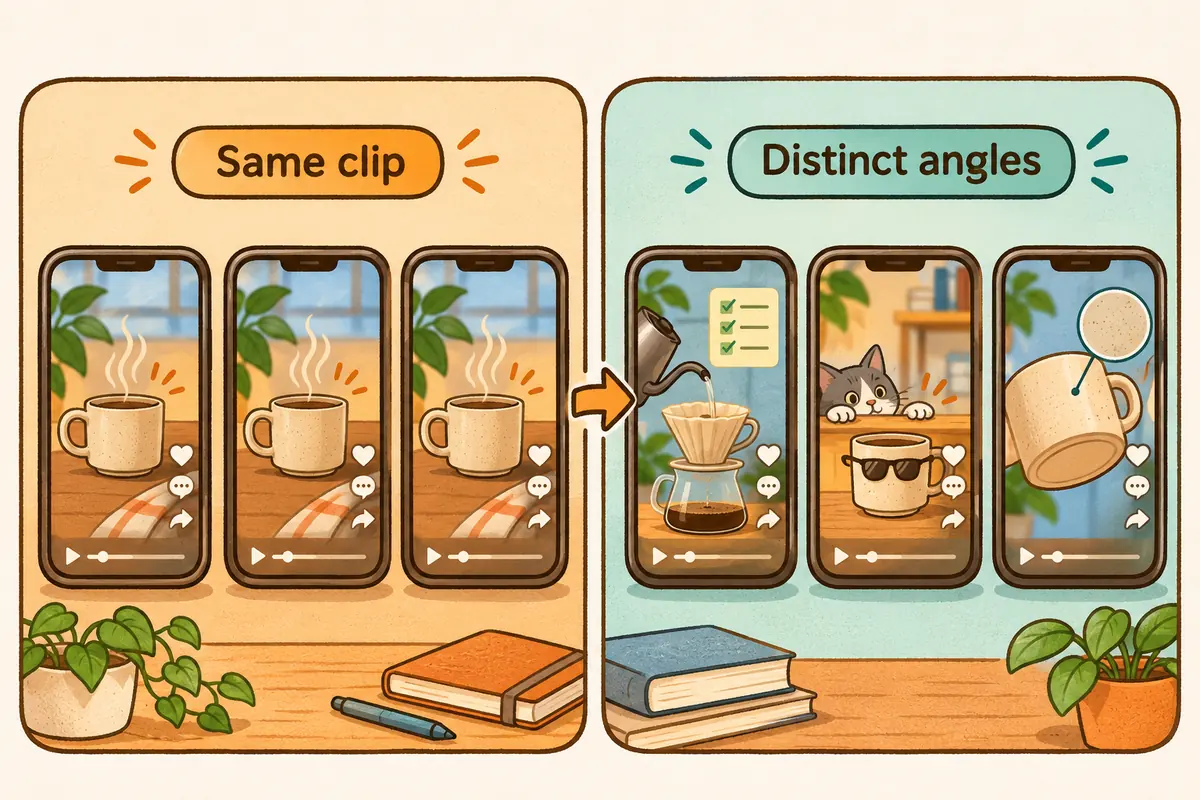
What works better is the same idea in different versions. Take a format that's doing well, then give each account its own hook, its own photos or clips, a different slide order and a caption written for that account's audience.
Connect the accounts the safe way: official APIs, no shared passwords
Someone on r/socialmedia asked on November 8, 2026 how to hand daily posting on several Instagram and TikTok accounts to virtual assistants. Their wish list: "I don't have to share passwords directly", "Access can be revoked easily when someone leaves the team", and "Multiple accounts can be managed without dozens of physical phones".
A simpler route than cloud phones or password managers is TikTok's own Content Posting API. A scheduler that uses it never sees your password. The account owner signs in to TikTok once and approves the app, and TikTok's guide says "The target TikTok user must have authorized your app" before it can post. TikTok also says content from unaudited apps "will be restricted to private viewing mode", so check that the tool you pick has passed TikTok's audit.
Your team then works inside the scheduler, each with their own login. When someone leaves, you remove them there. The TikTok passwords never move. For an agency, the client connects their own account and keeps the password.
Give each account its own angle and rhythm
Here's the setup I'd use, step by step. The example is a fitness app with three accounts.
- Write one line per account. Who it's for and the one problem it talks about. For example: "Home workouts for beginners with no equipment", "Meal prep for people who train", "Tracking progress when the scale doesn't move".
- Pick a different name, bio and profile photo for each. Don't pretend to be different people. TikTok's rules list impersonation and "Pretending to be a fake person or organization with the goal of misleading people".
- Find formats per angle. Look for posts in each account's niche that got several times the views their account usually gets. My guide to finding viral TikTok ideas covers this by hand.
- Make one version per account. Same format if you like, but with that account's hook, photos and payoff. Show the app in the post.
- Set a rhythm you can keep. I'd aim for one post a day on each account, but a steady three a week beats a week of daily posts and then nothing. Schedule the week in one sitting.
- Judge each account after a month. Keep the angles that get watched, and retire or rework the one that doesn't.
A mistake to avoid, in my view: buying old accounts, or using follow-for-follow and engagement groups to give a new account a head start. TikTok's rules list buying or selling followers or engagement as spam, ban services that artificially increase engagement, and TikTok removes fake likes and followers when it finds them. A new account that grows slowly from real posts is worth more.
Running client apps as an agency
The same rules apply per client, with two additions. First, keep each client's accounts apart, so a teammate working on one client can't post to another client's accounts by mistake. Second, give the client a way to see posts before they go out without handing them your whole workspace.
Budget matters too, even for one company. Someone on r/socialmedia wrote on November 12, 2026 that they needed a tool for "a half-dozen accounts (for a single company)" at "ideally $20-$30/month tops". Check how the price grows when you add the next client, not only the first one.
Track which account drives installs
Total views tell you little across several accounts. Give each account its own store link in its bio. On iOS, App Store Connect makes campaign links. Your provider token stays the same, and you change only the campaign token, one per account. Apple shows impressions, product page views and downloads per campaign token. A campaign's numbers appear once it reaches at least 5 first-time downloads, so a new account will look empty at first. On Android, give each account's Play Store link its own utm_campaign value, with a utm_source such as tiktok; Play Console's acquisition reports can filter by UTM source and campaign. Google notes the UTM source dimension shows only when the traffic source is filtered to ads and referrals.
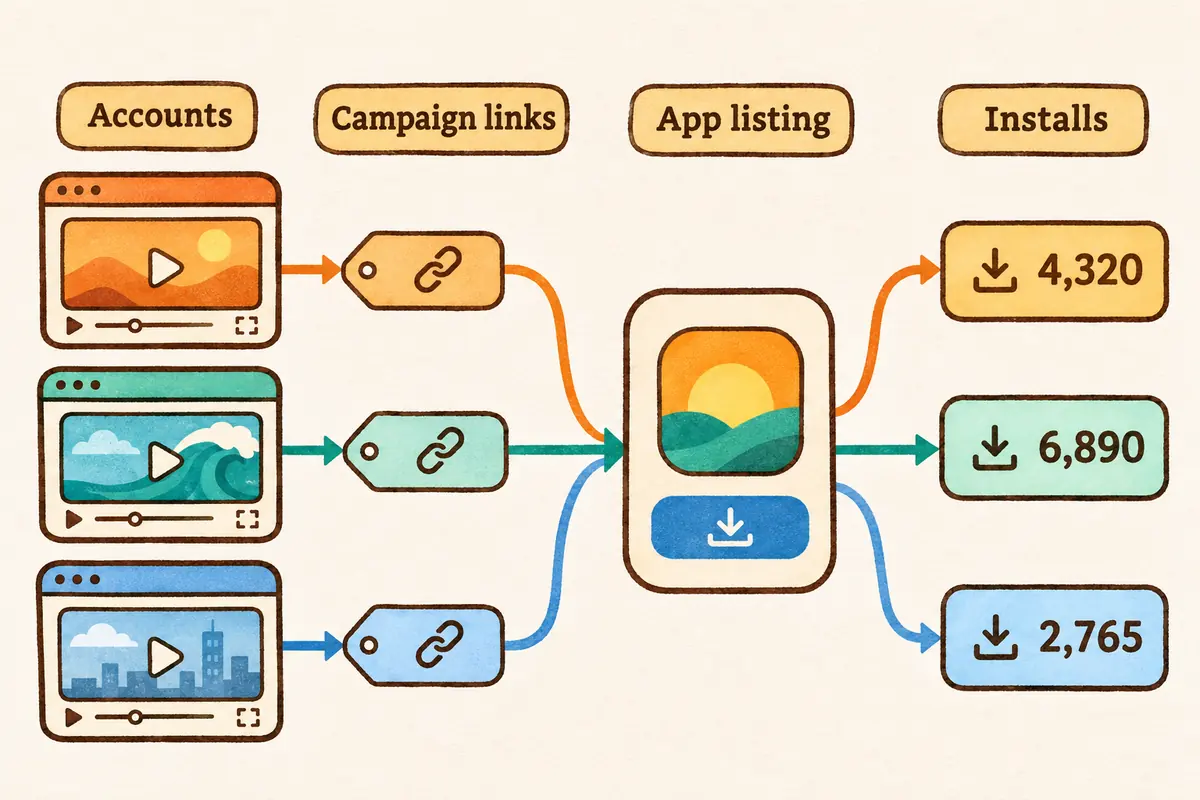
A bio link counts per account, not per post. On networks whose post text opens links, such as X, Threads or LinkedIn, a post can carry its own campaign token, and then you see that post's numbers. On TikTok and Instagram, a jump in installs after a post is a lead to test again, not proof.
Where Sendhour helps, and where it doesn't
Everything above works by hand. Sendhour does the parts that get heavy once you pass two or three accounts:
- Official APIs only. Sendhour posts to TikTok, YouTube, Instagram, Threads, Facebook, Bluesky, X and LinkedIn through each network's official API. When you connect a TikTok account yourself, you approve Sendhour on TikTok's own sign-in page, so Sendhour never sees the TikTok password. Sendhour's TikTok app has passed TikTok's audit, so its posts can go out publicly.
- Accounts grouped by app. One workspace can hold several apps, and each connected account belongs to one of them, with no fee per app. Plans are priced by accounts: 15 on Scheduler ($19 a month), 5 on Starter ($29 a month), 15 on Growth ($49 a month), 50 on Agency ($99 a month), 100 on Scale ($199 a month).
- Teammates without passwords. Unlimited teammates on every plan, each with a role: Owner, Can post or Drafts only. A teammate can be limited to some apps, so a freelancer or client sees only their own accounts. Removing them touches no TikTok login.
- Client approval links. You send a client a link to drafts. They approve each one or ask for changes without an account, and an approved draft with a planned time is scheduled. Links expire after 14 days by default.
- Fresh angles per account. The viral library lists public TikTok posts from the last 30 days with at least 50,000 views and 3 times their account's usual views, grouped by niche, so each account can draw from its own niche. You can also watch 5 to 80 rival accounts, depending on the plan.
- A store link per account. Sendhour makes an App Store and Google Play link with its own campaign token for each account's bio. Once you connect an App Store Connect key, it shows the store visits and installs Apple counted for each link. It doesn't import Android numbers.
It doesn't post on its own. Nothing is made or posted until you or your AI agent asks, though it can post to every account each day once you've scheduled it. Its comment inbox covers YouTube and Bluesky only, with replies on Bluesky, and the software won't run bots, follow accounts or buy engagement. Plans start at $19 a month for 15 accounts on Scheduler, which has no AI credits, or $29 for 5 accounts with monthly AI credits; 15 accounts with credits are $49, the largest plan covers 100, and Scheduler, Scale and Agency add accounts at $0.75 a month each. No free trial, but there is a Free plan for 3 accounts (not X), with 10 posts waiting per account at a time and no card, and a paid plan's first payment has a 14-day money-back guarantee. See pricing.
Once the installs come in, the next leak is the people who open the app and don't buy. I also build Hailbell for that. It's a chat inside your app where an AI answers first from your docs and prices, and the questions reach you in Discord, Telegram, Slack or the web dashboard.
Postiz. If you'd rather host the scheduler yourself, Postiz is open source and also connects each TikTok account through TikTok's official API. Sendhour vs Postiz covers what each one does for an app with several accounts.
Questions
Is it against TikTok's rules to have several accounts?
No. TikTok's Community Guidelines say you can have multiple accounts, but not to deceive others or break the rules. What they list as spam is using automation to run many accounts or send repetitive content, and they don't allow a new account to get around a ban or restriction.
How many TikTok accounts should one app start with?
Start with one, or two if your app clearly serves two audiences, each with a clear angle. Add the next one only when you can keep every account posting with its own content. Three accounts that post well teach you more than ten that post the same thing.
Can I post the same video on all my accounts?
I wouldn't. TikTok's spam list includes using automation to run many accounts or send repetitive content, and reused material without anything new isn't eligible for the For You feed. Make a separate version for each account: a different hook, slide order or angle, built for that account's audience.
Can a freelancer or assistant post without my TikTok password?
Yes, if you schedule through a tool that uses TikTok's official Content Posting API. Each account owner signs in to TikTok once to approve the tool, and teammates then work inside the tool with their own login and role. You remove a teammate there and never change the TikTok password.
How do I know which account brings installs?
Give each account its own store link in its bio. On iOS that is an App Store Connect campaign link with a campaign token per account; on Android, a Play Store link with its own utm_campaign. Apple shows a campaign's numbers once it reaches at least 5 first-time downloads.