Sendhour is our product, and it makes these links for you, so weigh this with that in mind. Everything below also works by hand in App Store Connect and Play Console, and I say where a line is my reading rather than what Apple or Google wrote.
Some context. I run about 15 TikTok accounts for my own apps, mostly photo slideshows plus some videos. With that many accounts, total views stop answering the question that matters: which account sends people to the store.
Why views don't tell you which account works
A post with big numbers can come from an audience that will never install your app. A quieter account with a narrow angle can send more people to the store. You only see that if each account has its own link and its own row of numbers.
App Store Connect does split downloads by source without any setup. Apple's acquisition page (read November 28, 2026) lists App Store search, App Store browse, app referrer, web referrer and custom marketing campaigns. It defines app referrer as "Users tapped a link in an app that brought them to your App Store product page." Apple also says taps from non-Safari browsers such as Chrome are "attributed as that web browser app in app referrers." My reading: a tap on a TikTok bio link shows up as TikTok, or as the browser it opened in. Either way, all your accounts land in the same row, so you need a campaign token per account.
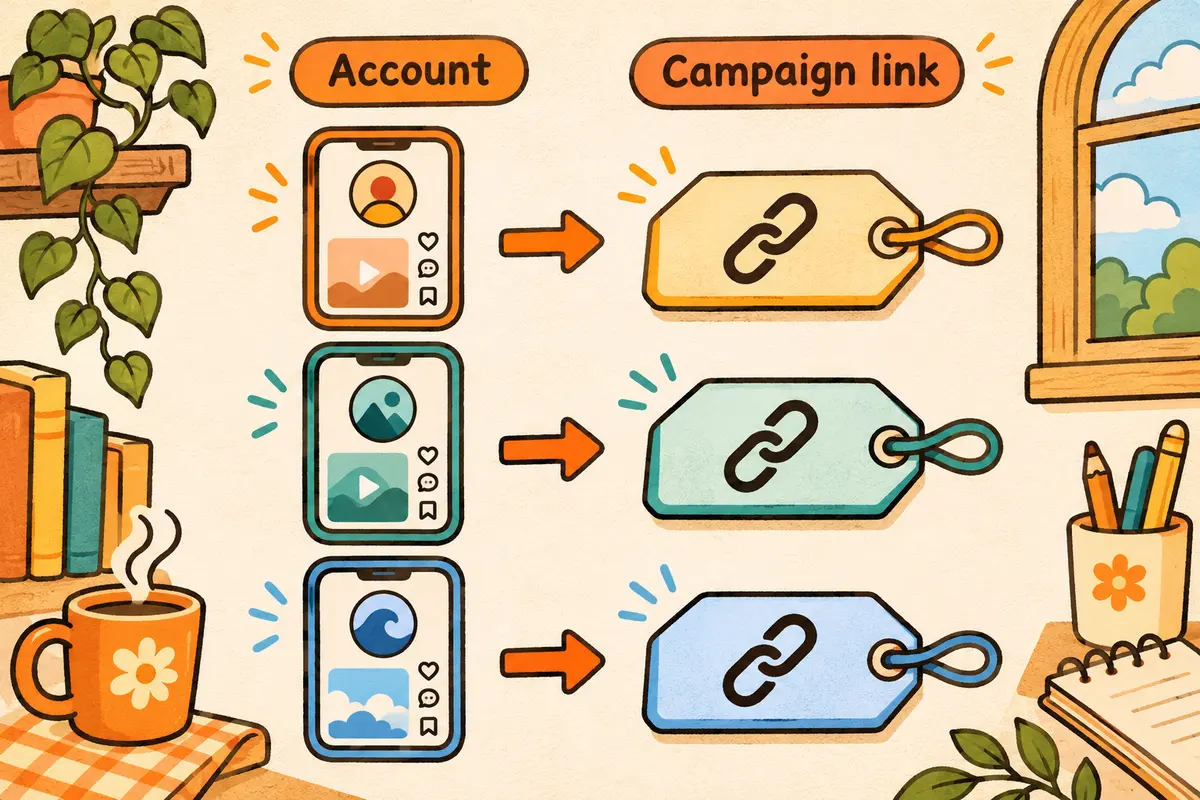
Step 1: make one App Store campaign link per account
Apple's campaign links page (read November 28, 2026) gives the steps:
- In App Store Connect, open Apps and pick the app.
- Click the Analytics tab, then Campaigns in the Acquisition section.
- Click the add button (+) next to Campaigns and type a campaign name. Apple: "Your campaign name is your campaign token." You get up to 30 characters.
- Copy the link. It looks like Apple's example:
https://apps.apple.com/app/apple-store/id123456789?pt=123456&ct=test1234&mt=8.
The pt part is your provider token. Apple says it "identifies your developer account" and "stays the same across all your campaigns", and tells you to "Reuse the same one, and change only your campaign token to distinguish between campaigns." So once you have one link, the rest are the same link with a different ct.
One catch for a new app: Apple says the Campaigns button may not appear until the app has analytics data, and suggests checking again once the app has been live with downloads for at least 24 hours. Make the links in launch week, not before.
Step 2: name the tokens so you can read them later
The token is the only label you'll see in the report, so pick a pattern and keep it. I'd use the network, then the account's angle or handle. These are the tokens Sendhour would make, with its sh- prefix; by hand you can drop it:
sh-tiktok-fitapp-beginnerssh-tiktok-fitapp-mealprepsh-instagram-fitapp-beginnersfor the Instagram account with the same angle
Keep each token inside Apple's 30 characters, and never reuse one for a different account. An agency makes each client's links in that client's own App Store Connect account, because campaign links are made per app there and the provider token belongs to the developer account. The numbers show up in the same place.
One mistake to avoid is changing a token once it is in a bio. A new token starts from zero, and the old one gets no new taps. If you rename the account, keep the link.
Step 3: do the same on Google Play
On Android you add the label to the Play Store link yourself. Play Console's acquisition reports page (read November 28, 2026) says its Listing conversion analysis page (Grow users, Store presence, Store listings) can filter by "UTM source and campaign", where UTM campaign is "The value of the utm_campaign URL parameter in deep links to your store listing." Give each account the same utm_campaign you used as its Apple token. The campaign is what tells accounts apart; utm_source can be anything you'll recognize. Here is the shape of the link Sendhour makes for the first account above, with the network in utm_medium:
https://play.google.com/store/apps/details?id=com.example.app&referrer=utm_source%3Dsendhour%26utm_medium%3Dtiktok%26utm_campaign%3Dsh-tiktok-fitapp-beginners
Three things from Google's page catch people out. First, it says: "From July 2026, Google Play updated store listing performance reports to focus on user intent (clicks) rather than successful outcomes (acquisitions)." So the per-campaign number on that page is people who clicked Install, Open or Pre-register, not finished installs. Second, the UTM source dimension "is only available when traffic source is filtered by ads and referrals". Third, campaigns that "did not have enough visitors or acquisitions" show as Other, so a small account can vanish into that row.
Step 4: put the links in the bios
One account, one link. If the bio uses a link page with several buttons, use the campaign link on the store button of that account's page, and a separate page per account. A shared link page for all your accounts undoes the whole setup.
On networks whose post text opens links, such as X, Threads or LinkedIn, you can go further and give a single post its own token. On TikTok and Instagram, a link in the caption has shown as plain text every time I've tried, so there the bio link is all you have. In my experience, not every TikTok account can show a link in its bio either. If one of yours can't yet, its numbers start when it can. For the rest of a multi-account setup, see our guide to running several TikTok accounts for one app.
Step 5: read the numbers each week
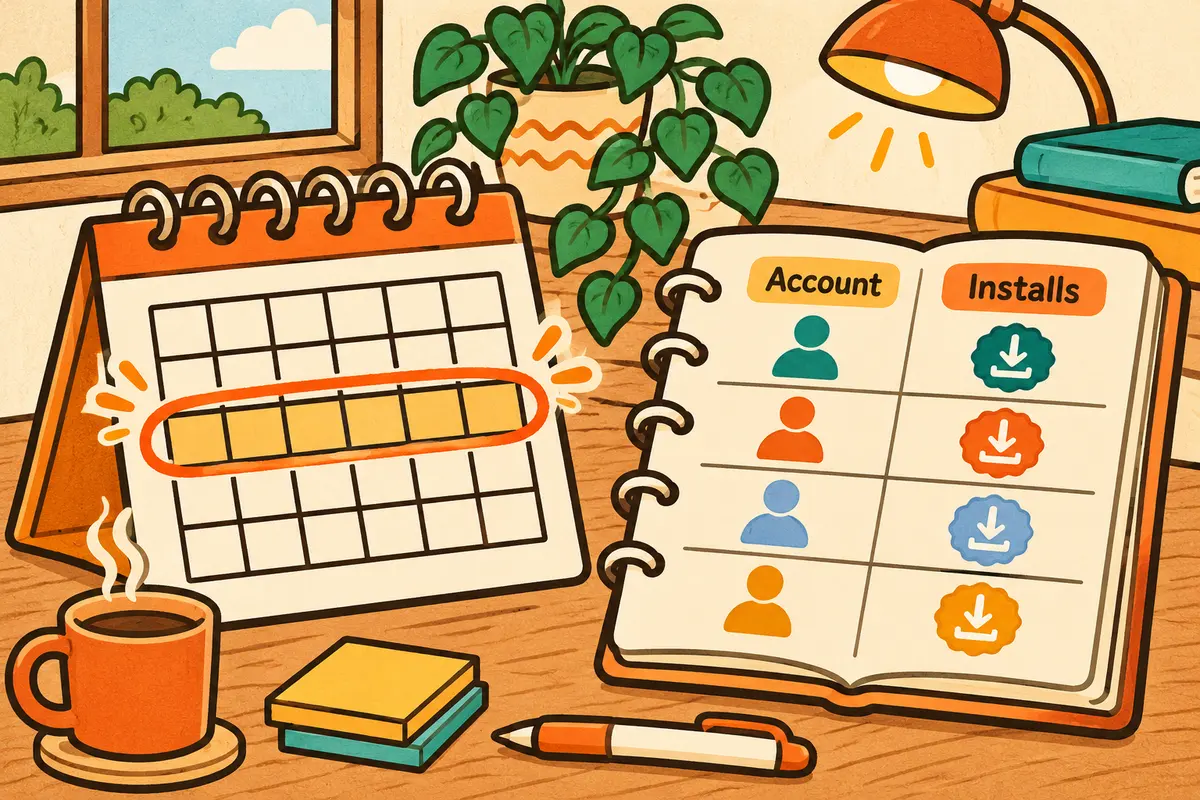
Apple says its campaign data captures "the impressions, product page views, downloads, usage, sales, and subscriptions tied to each campaign token". To see it, Apple's steps are: in the Analytics tab, click Metrics, then Add Filter and Campaign, and pick the campaign. For each account, I'd write down these every Friday:
| Column | Where it comes from |
|---|---|
| Posts that week | Your calendar |
| Views | TikTok's analytics for that account |
| Product page views | App Store Connect: Analytics, Metrics, filtered by that campaign |
| Downloads | App Store Connect, the same filter |
| Install clicks (Android) | Play Console: Listing conversion analysis, filtered by that utm_campaign |
App Store downloads divided by views is the number I'd compare across accounts. It shows which angle sends people who care.
Mind the threshold. Apple writes: "Each metric for your campaign will appear in the dashboard if the metric meets a minimum threshold of 5 in the date range selected." Its advice for a missing number is to widen the date range. So judge a new account over a month, not a week, and read a blank cell as "under 5", not zero.
Two counting rules from the same page are worth knowing. Apple counts a First-Time Download for a campaign when someone downloads the app for the first time "within 24 hours of using your campaign link or campaign token". And "If a user clicks more than one campaign link within a given timeframe, only the most recent link receives credit for subsequent sales."
What a bio link can't tell you
A bio link counts the account, not the post. Someone may have watched three of your posts, tapped the link a day later, or searched the App Store by name and never tapped it. Those searches show up as App Store search, not as the account.
So treat per-post guesses carefully. Write the date of each post next to the account's installs and look for jumps. With small numbers, Apple's rule of 5 can blank out single days, so compare weeks. A jump the day after a post is a lead: post that format again and see if it repeats. Two repeats tell you more than one spike. Our guide to the first 1,000 installs without paid ads uses the same log for every channel, not only TikTok.
If you run accounts for several apps
An agency or studio running accounts for client apps needs the same setup per app, plus a way to show the client. Keep a token list per client, ask each client for access to their own App Store Connect analytics and Play Console, and send the per-account table once a month.
Where Sendhour helps
Everything above works by hand. Sendhour does the repetitive parts once you have more than two or three accounts:
- A link per account, made for you. Each connected account gets its own campaign token, such as
sh-tiktok-fitapp-beginners, and a store link built with it. If the app's link in Sendhour is its App Store listing, you paste your provider token once per app and get App Store links. If it is the Google Play listing, you get Google Play links, and pasting an App Store campaign link adds the App Store ones. A token never changes once made, so a link already in a bio keeps counting. - Apple's numbers per account. Connect an App Store Connect API key and Sendhour reads Apple's store visits, installs and redownloads for each account's link from Apple's analytics reports.
- A link per post where it opens. Posts on YouTube, Facebook, LinkedIn, X, Threads and Bluesky can carry their own store link with a token for that post alone (up to 30 characters), so Apple's numbers for it are that post's. On YouTube, Sendhour's own docs note that this works in a regular video's description, not a Short's.
- A labelled estimate for TikTok and Instagram posts. For those, Sendhour shows the bio link's installs on the day of a post and the day after, only when the account published nothing else from the day before to the day after, and labels it an estimate, not attribution.
- Installs next to posts. If your app uses RevenueCat or Superwall, Sendhour shows daily installs and revenue and lists the posts published from 48 hours before each jump day through that day. That is correlation, not attribution.
- Agents and client reports. The same numbers come through the API, MCP server and CLI, and an agency can send a client a monthly report link that includes Apple's installs per account.
- Posting. One calendar for many accounts across TikTok, YouTube, Instagram, Threads, Facebook, Bluesky, X and LinkedIn, through each network's official API.
Where it falls short. Sendhour makes Google Play links only for apps whose link in Sendhour is the Google Play listing, and it doesn't import Android numbers, so those stay in Play Console. Apple's rule of 5 still applies, so a small account can show 0 in Sendhour too; read that as under 5, not zero. Tokens Sendhour made before November 28, 2026 from a long handle can be up to 40 characters, past the 30 Apple's campaign generator accepts. Tokens made since stay within 30, and a token never changes, so a link already in a bio keeps counting. And nothing turns a TikTok bio link into per-post attribution. At full monthly prices, paid plans start at $19 a month for 15 accounts on Scheduler, which has no monthly AI credits, or $29 for 5 accounts with monthly AI credits, and 15 accounts with credits are $49. No free trial, but there is a Free plan for 3 accounts (not X), with 10 posts waiting per account at a time and no card, and a paid plan's first payment has a 14-day money-back guarantee (on plans with AI credits, if you've used under 20% of the month's credits). See pricing.
If you're still working out what to post on those accounts, start with marketing an app on TikTok without ads.
Questions
Can I see installs from a TikTok account in App Store Connect?
Yes, if the link in that account's bio is an App Store campaign link with its own campaign token. Apple shows impressions, product page views and downloads per campaign token: in the Analytics tab, click Metrics, then Add Filter and Campaign. Without a campaign link, App Store Connect can show where taps came from, but not which of your accounts.
Why does my campaign show no downloads?
Apple shows a campaign's data once it has first-time downloads from at least 5 people, and each metric needs at least 5 in the date range you picked. A new account often sits under that. Widen the date range before you decide the link is broken.
Do I need a new provider token for each TikTok account?
No. Apple says the provider token identifies your developer account and stays the same across all your campaigns. Reuse it and change only the campaign token, one per account.
Can I see installs per account on Google Play?
Partly. Give each account's Play Store link its own utm_campaign value. Play Console's store listing reports can filter by UTM campaign, and since July 2026 Google says those reports count clicks on Install, Open or Pre-register rather than completed installs. Google also groups campaigns with too few visitors under Other.
Can I track installs from one TikTok post?
Not with a link, in my experience: a link pasted into a TikTok caption shows as plain text, so every tap goes through the bio. The closest you get is comparing the bio link's daily installs with the days you posted, and that is a lead to test again, not proof.